RED GRID MGRS / THE APP
YOUR FIELD KIT.
WITH A GRID
AT ITS CORE.
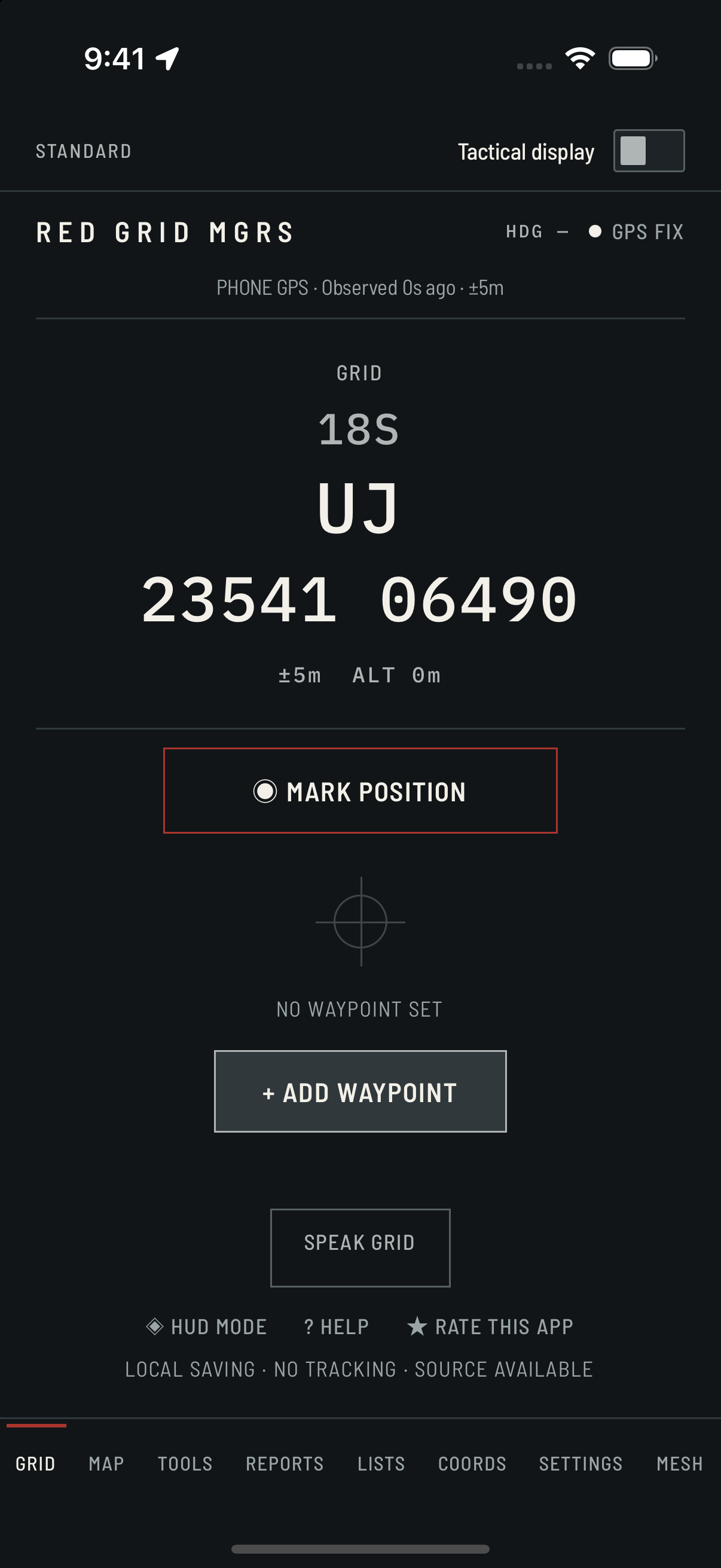
Read your position. Set your destination. Keep your bearings, calculations and reports in one practical navigator.
Free to download · Monthly and lifetime Pro options
Compare Free & Pro ↓
02 / PLAN / PRO
Save the points.
Work each leg.
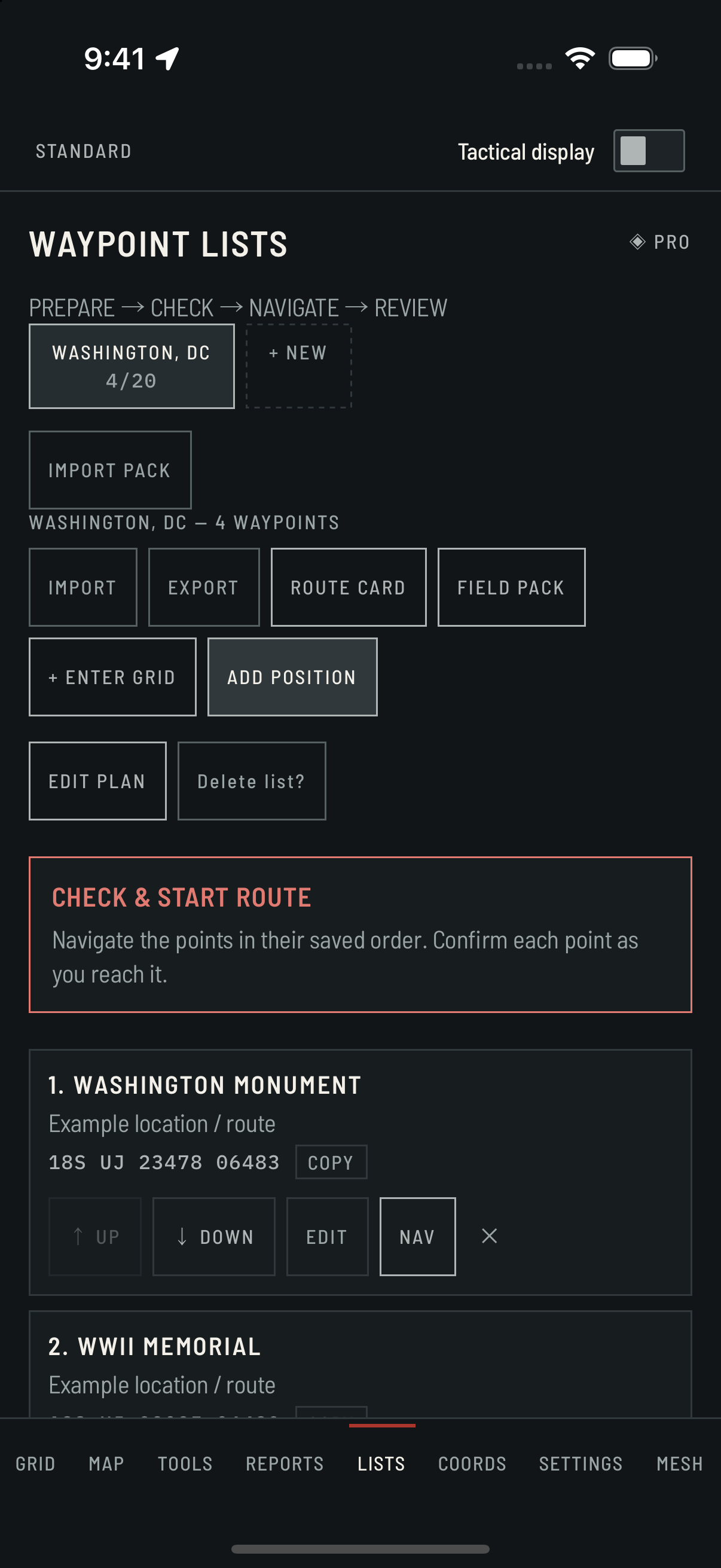
Name waypoint lists for a route, a set of checkpoints or locations you need to return to. Review each leg before stepping off.
- Up to 10 lists, with 20 waypoints per list
- Add your current position or enter a grid
- Ordered route cards with bearing and distance
- Export GPX, KML and field-ready text
NEXT RELEASE / IN TESTING
A connected
field workflow.
The next release connects saved lists to solo readiness checks, active route progress, manual waypoint confirmation and a local review. It also adds validated import of compatible raster MBTiles files you have permission to use.
Preview availability
These changes are not yet in the public store release. TestFlight testing comes before public release. Route review records confirmed planned points and times, not a GPS movement track.
Map availability depends on the data you prepare. Check area and zoom coverage before leaving service.
03 / TOOLS & REPORTS
Useful when
the next step counts.
Navigation calculations, observation tools and structured reports support the work around your route.
The essentials
Back azimuth · Pace count · Magnetic declination · Distress signalling
Build out the kit
Dead reckoning · Resection · Time / distance / speed · Sun & moon · MGRS precision · Elevation & slope · Photo geostamp · Barometer
Report the situation
SALUTE · 9-Line MEDEVAC · SPOT
Record more detail
ICS 201 · CASEVAC · ANGUS / CFF
Sensor-dependent tools require compatible device hardware. Reports are templates for preparation and copying; they do not dispatch emergency services.
04 / FREE & PRO
Start with the grid.
Build out your field kit.
Use the core navigator free. Pro adds the tools for preparing routes, recording observations and working with a radio team.
FREE CORE
$0
10-digit MGRS and the essentials.
No Red Grid account required.
PRO MONTHLY
$3.99 / month
All Pro features.
Cancel through your app store.
PRO LIFETIME
$49.99 / once
The same Pro features.
One-time purchase.
| FIELD CAPABILITY | FREE | PRO |
|---|---|---|
| Full 10-digit MGRS · bearing & distance | Included | Included |
| Active navigation waypoint | 1 waypoint | 1 waypoint |
| Saved waypoint lists & route cards | Not included | 10 lists · 20 points each |
| Field tools | 4 tools | All 12 tools |
| Report templates | 3 reports | All 6 reports |
| Voice grid readout & HUD | Not included | Included |
| Additional coordinate formats & themes | Not included | Included |
| Meshtastic team positions & messaging | Not included | Compatible radios required |
Prices shown in US dollars. Local prices and taxes may differ. Purchases are made in the app through Apple or Google. Monthly renews until cancelled.
OPTIONAL / PRO + MESH RADIO
Team awareness.
With the right equipment.
Connect a compatible Meshtastic radio to your phone over Bluetooth. Team position updates and short messages travel between radios over LoRa. Set up and verify your team connection before relying on it in the field.
- Pro required for the team features
- Compatible radios are purchased separately
- Range varies with terrain, antennas and configuration
- No radio needed for solo navigation
PUBLIC SOURCE / PRACTICAL ACCESS
Inspect the code.
Use the app.
We publish the source so you can inspect how Red Grid works, report issues and build it for personal use under the license. The free store app makes core MGRS navigation accessible without developer tools. Optional Pro adds field capabilities and helps fund development, testing and maintenance.
Why source available?
Transparency lets technically minded users examine the calculations, local storage and radio implementation.
Why offer Pro?
Pro pays for a broader field kit in a maintained, ready-to-install app. Core 10-digit MGRS stays free.
The source uses MIT with Commons Clause, which restricts commercial use and reuse. This is source-available software. See the license for the exact terms.
Read the source ↗ · Read the license ↗FIELD NOTES
Know what
you’re taking.
What works without cell service?
GPS grid coordinates, saved waypoints, navigation calculations, tools and report preparation run on your device. Your phone still needs a usable satellite fix. Map display depends on available map data; do not assume an area is available offline.
What is included free?
Full 10-digit MGRS, one active waypoint, bearing and distance, back azimuth, pace count, magnetic declination, distress signalling, and SALUTE, MEDEVAC and SPOT report templates. A 10-digit grid describes a one-metre square; it does not guarantee one-metre GPS accuracy.
Do I need a radio?
No radio is needed for solo navigation. Optional team position and messaging features require Pro and compatible Meshtastic radios. Phones connect to their radios over Bluetooth; the radios carry traffic over LoRa. Radio range depends on equipment and terrain.
Where does my field data go?
No Red Grid account is required. Saved waypoint lists are stored locally. Report drafts are prepared on-device and clear when you leave the report screen; copy them if you need to keep them. You can choose to export waypoint files or share information through connected radios. Map requests and app-store purchases use their respective providers. See the privacy policy for details.
How does Pro billing work?
Pro is available for US$3.99 per month or US$49.99 as a one-time lifetime purchase. Both unlock the same Pro features. Monthly subscriptions renew until cancelled through your store account. Prices and taxes vary by region; the store shows the final price.
What happened to Red Grid Link?
Red Grid Link has merged into Red Grid MGRS. Its separate listing is retired. Optional Meshtastic team features are now part of Red Grid MGRS Pro; the former phone-to-phone Bluetooth system is not included.
Why publish source and charge for Pro?
We publish the source so you can inspect how Red Grid works, report issues and build it for personal use under the license. The free store app makes core MGRS navigation accessible without developer tools. Optional Pro adds field capabilities and helps fund development, testing and maintenance. The source is available under MIT with Commons Clause, which restricts commercial use and reuse; see the linked license for its terms.
RED GRID MGRS / IOS + ANDROID
Your next grid
starts here.
Download free. Add Pro when your field kit needs more.